Reservations
A reserved table stays free until the guest arrives
Moment of the day: Opening
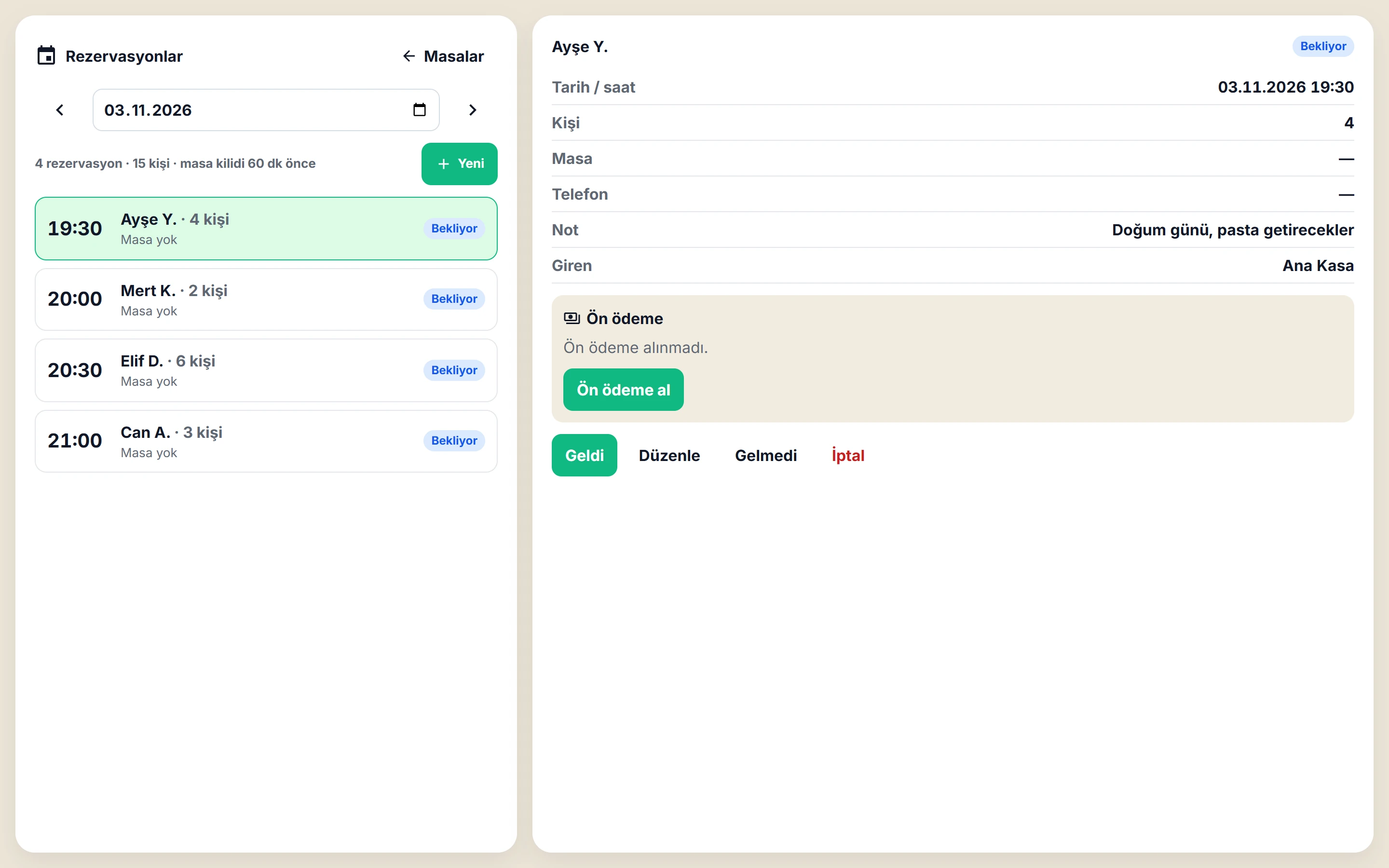
The Digigarson reservation module keeps bookings in the till app together with the table plan. It warns about overlapping bookings, locks a table as its booking time approaches and deducts the deposit from the check when the guest arrives.
Together with the table plan
A reservation is recorded for a future date and time, with a table. The till loads the day's reservations when it starts; a table with a booking shows a warning mark.
Overlap warning
If a second booking is entered for the same table close in time, the system warns you. If needed, you can still save it on purpose.
Lock as the time approaches
Before the booking time (60 minutes by default) the table is locked and waiters cannot open an order on the locked, empty table. When the guest arrives, the till releases the lock. The lock can be switched on or off per branch.
Deposit
A deposit can be taken with the booking. It goes into the till on the day it is received; when the guest arrives it is deducted from the check and is not counted as revenue twice. If the guest does not come or the booking is cancelled, the cashier either refunds the deposit or keeps it.
Frequently asked questions
Can I take a deposit with a reservation?
Yes. The deposit goes into the till on the day it is received and is deducted from the check when the guest arrives; it is never counted as revenue twice.
What happens to the table as the booking time approaches?
By default the table is locked 60 minutes before, and waiters cannot open an order on it. When the guest arrives, the till releases the lock.
What if two bookings are made for the same table?
If the times are close, the system shows an overlap warning.
See how it works in your own venue
Let's talk about your tables, menu and printer layout and work out the right setup together. Our WhatsApp line is open 24/7.