For restaurants, cafés, bars and hotel restaurants
Your sales keep going when the internet doesn't.
Digigarson is a restaurant POS that brings the till, QR digital menu, waiter app and back office together in one system. When the internet goes down, the main till keeps taking orders, printing tickets and accepting payments; when the connection returns, it sends everything in order, by itself.
We will get in touch to arrange setup and a demo.
What is Digigarson?
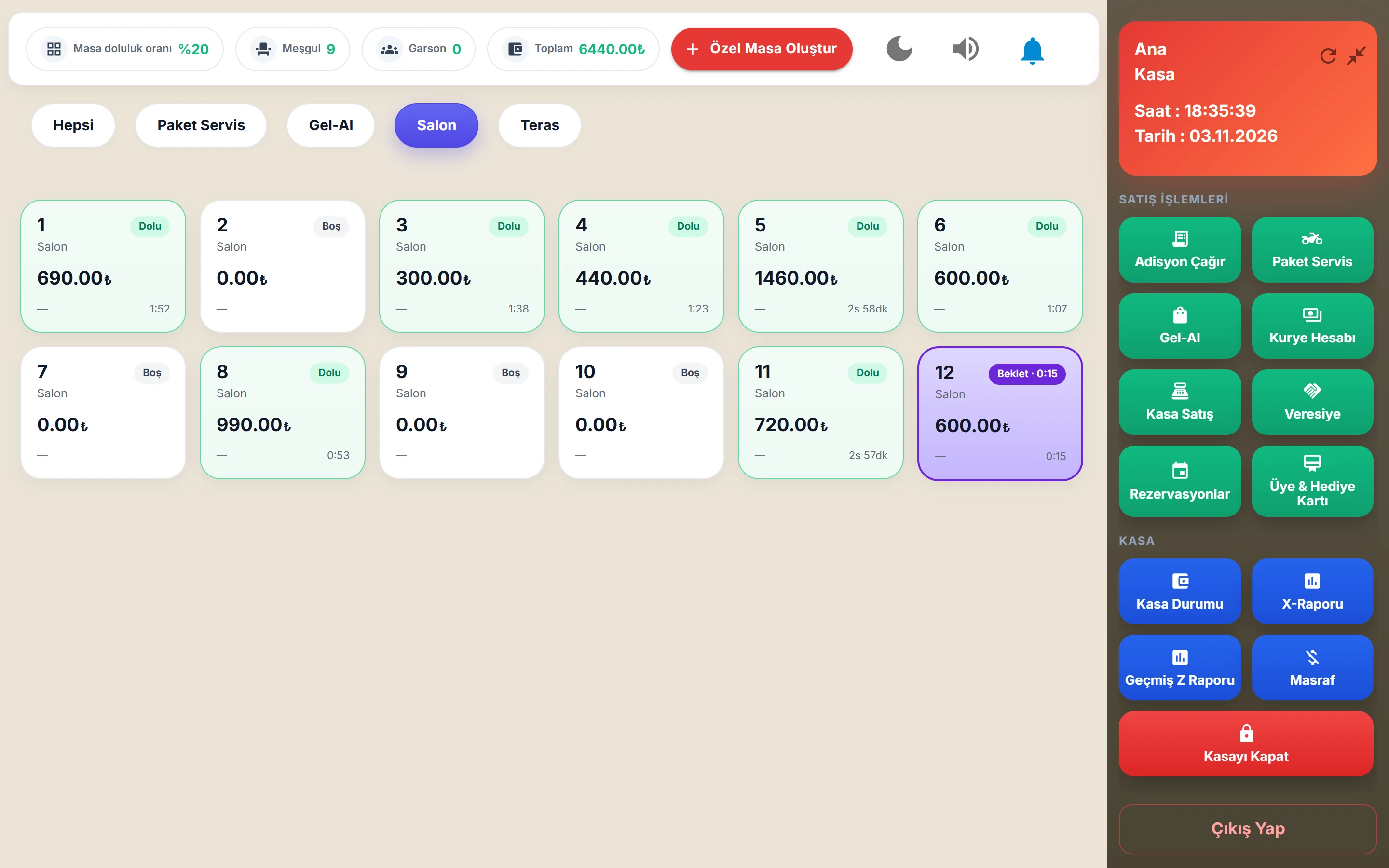
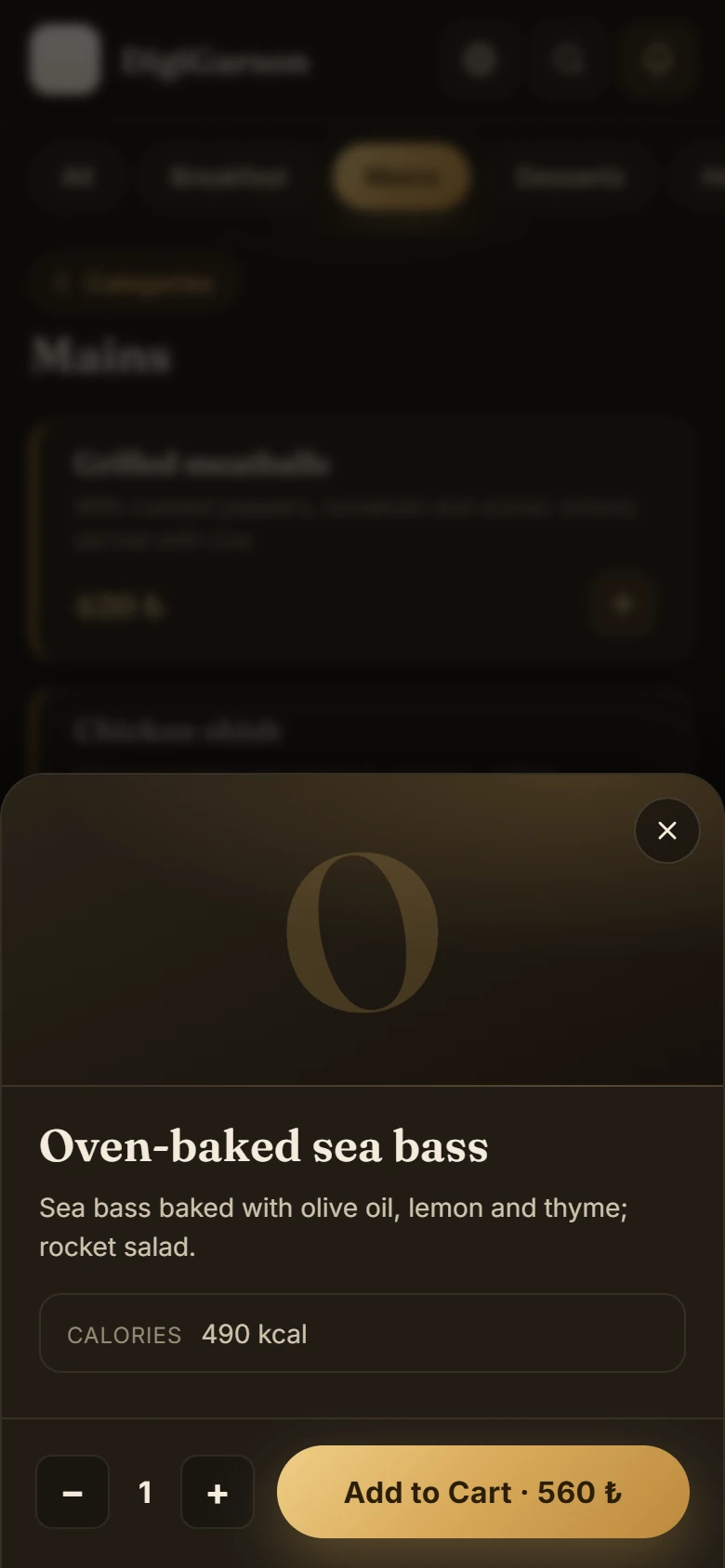
Digigarson is a sales and management system built for food and beverage businesses. The till app running on a Windows computer, a QR menu in 7 languages that opens on the guest's phone, the waiters' handheld app, the owner's mobile app and a web-based management panel all work on the same data. From order to kitchen ticket, from payment to Z report, from reservation to stock and cost, every step is recorded in one place.
The four things owners ask us most
Do sales stop if the internet goes down?
No. The main till works offline: it opens tables, prints kitchen tickets and takes payments. When the connection returns, everything is sent automatically.
Where is the money in the till going?
Every void, discount and comp is recorded with who did it and when. Sensitive actions are protected by permission codes.
Does the kitchen get the right order?
Kitchen tickets are split by product group: drinks print at the bar, mains in the kitchen, desserts at the pastry station, each on its own printer.
Can tourists read the menu?
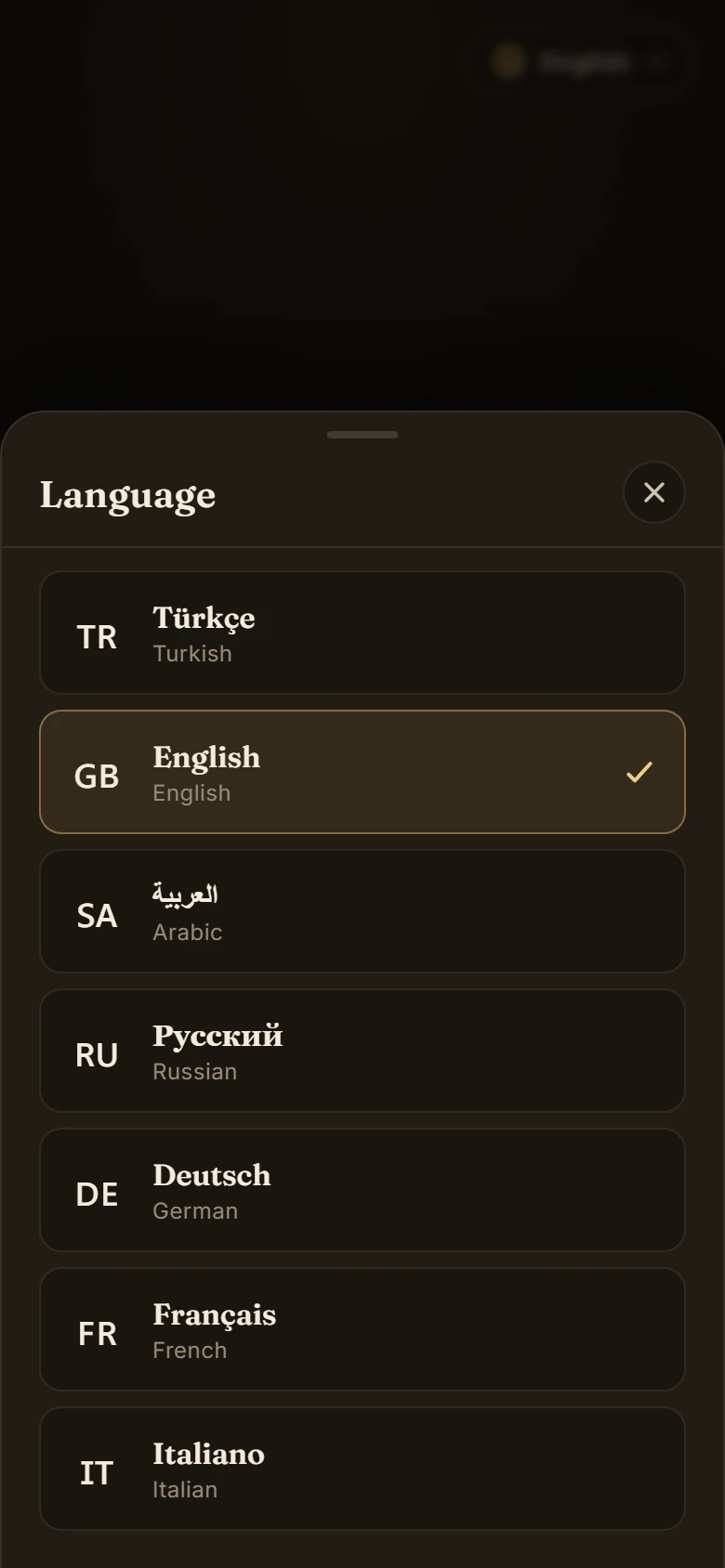
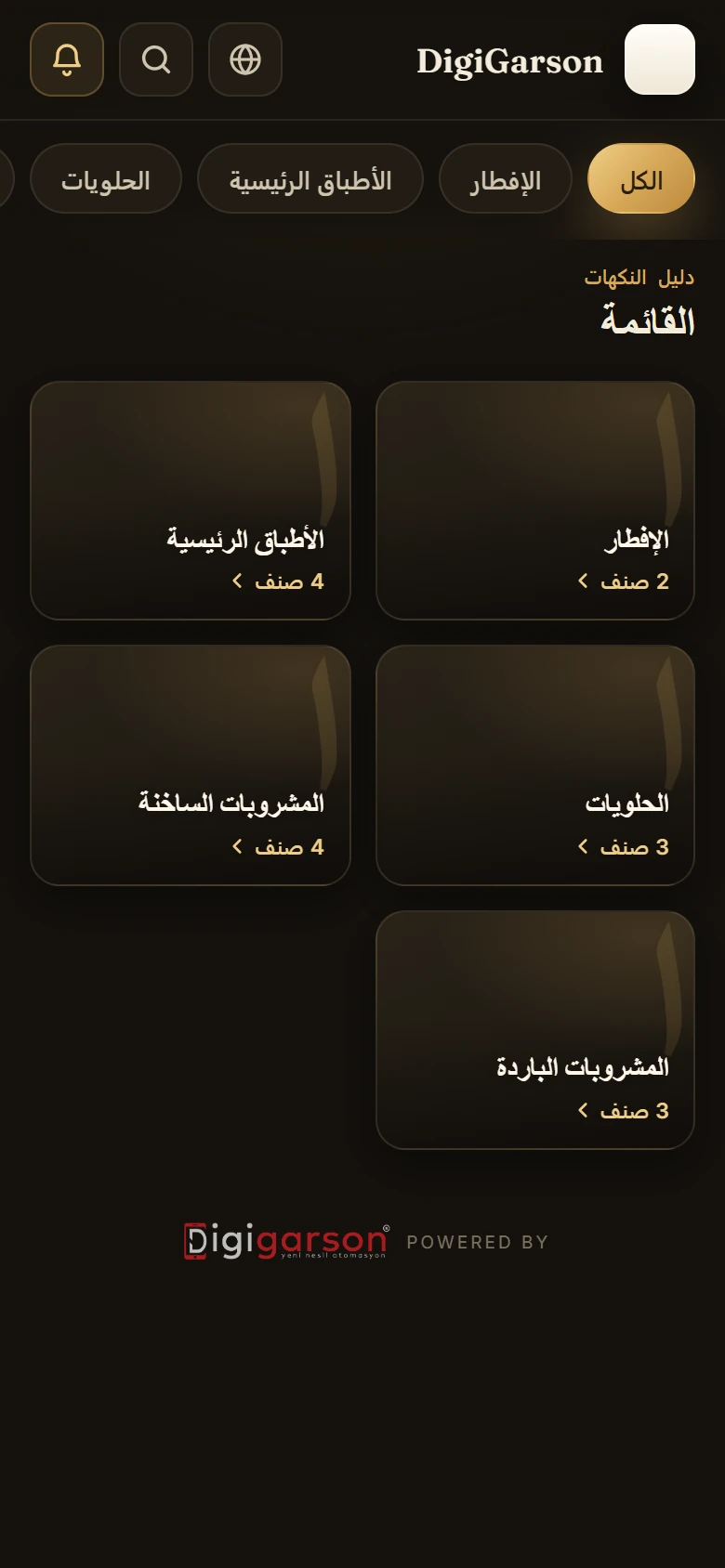
The QR menu opens in 7 languages, and Arabic reads right to left. Allergens and calories are shown in the product details.
What sets Digigarson apart
The internet just went down. Now what?
Nothing stops. The cashier sees a small OFFLINE badge at the top of the screen and keeps working.
A restaurant's day, from start to finish
Each module fits a moment of the day, and they all work on the same data: a sale at the till shows up in the reports, a price changed in the panel shows up in the QR menu.
Opening
Menu and prices ready, reservations and stock checked.
Service
Orders taken at the table, the right ticket to the kitchen, payment by any method; even when the internet drops.
- POS / TillTable plan, checks, bill splitting, comps, discounts, Z report and collections per person.
- Offline POSSales without internet, a local ledger, automatic sending with no duplicates.
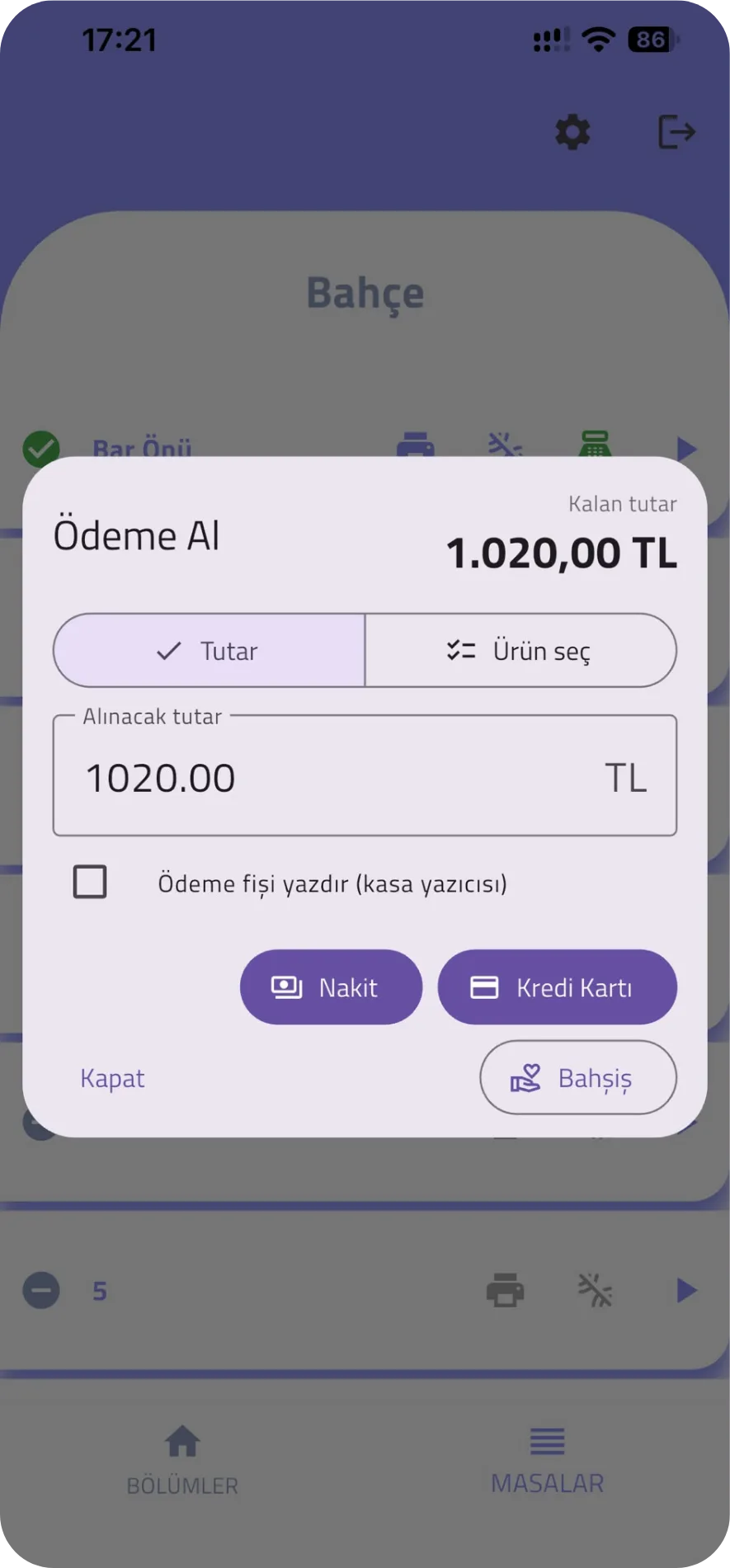
- Waiter appOrders from an Android or iOS handheld; authorised waiters also take payment at the table.
- QR digital menu7 languages, photos, allergens and calories, intro slides before the menu.
- Tip managementCash and card tips per staff member, kept apart from revenue; distribution records.
- Loyalty and gift cardsMember cards, gift cards, member discount, points and stamps. Optional module.
- DeliveryDelivery, takeaway and courier assignment from the same till.
Closing
Z report, collections per person, suspicious activity; the owner sees it all on the phone.
Real screens
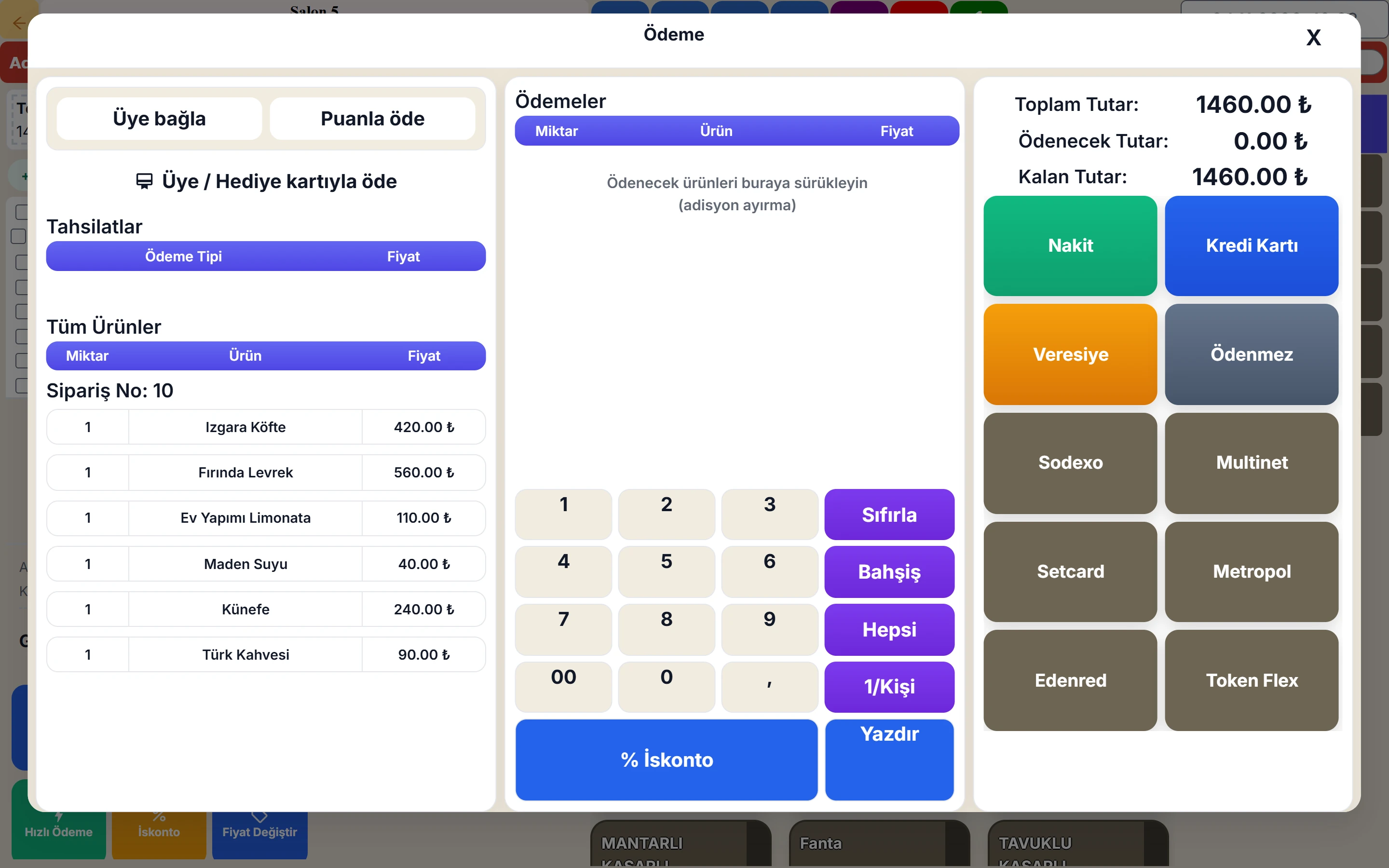
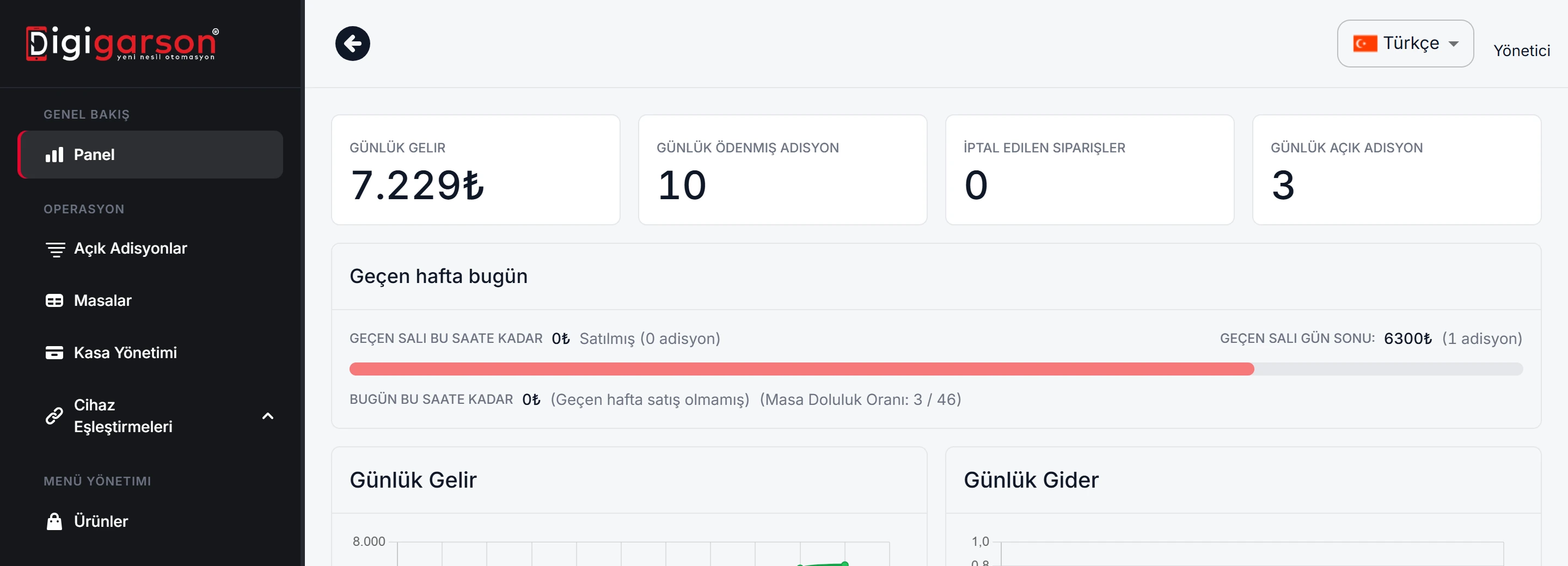
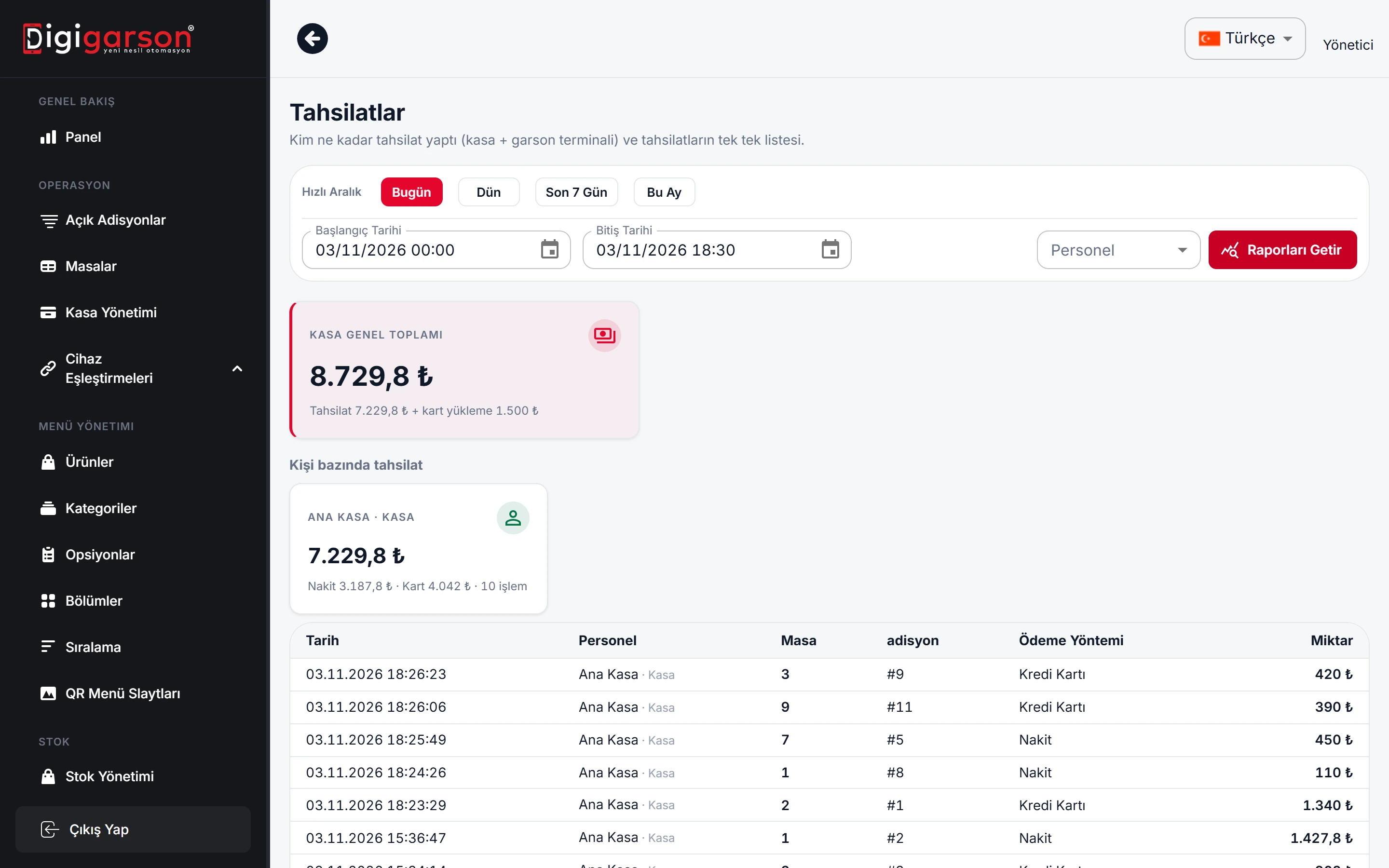
These are not illustrations. They are Digigarson's own screens, shown with demo data.
Floor plan, ordering and payment screens
The multilingual menu on the guest's phone
Reports, audit log and permissions
Devices next to the till and payment methods
We check your printers, barcode scanners and scales with you during setup.
Hugin ÖKC
Connection to Hugin fiscal cash registers (ÖKC, Türkiye).
Thermal and network printers
80 mm receipt printers; network printers keep printing without internet.
Barcode scanner
Fast checkout for packaged goods.
Scale
Selling by weight (cakes, nuts, meat).
Meal cards
Cards such as Sodexo, Multinet, Setcard, Metropol, Edenred and Tokenflex are recorded at the till as separate payment methods.
Your data is safe and the system stays up
Data centre in Europe
Our servers run in a data centre in Germany.
Hourly backups, stored off-site
Data is backed up every hour, and a copy of the backups is kept in a separate cloud storage location.
Signed automatic updates
Till app updates are digitally signed; unsigned code does not run.
No blank screens
If the internet is briefly unavailable at startup, the app shows "Waiting for connection" and retries by itself.
Quick answers
What is Digigarson?
Digigarson is a sales and management system for restaurants, cafés, bars and hotel restaurants, made up of a till (POS), QR digital menu, waiter app, owner app and back office.
Does a restaurant POS work when the internet is down?
With Digigarson, yes. While there is no internet, the main till opens tables, takes orders, prints kitchen tickets and accepts payments; when the internet returns, it sends the transactions in order and exactly once.
Will there be duplicate records when the internet comes back?
No. Every transaction has a unique ID, and the server records it only once.
What hardware do I need?
A computer running Windows 10 or 11 (at least 4 GB of RAM), an 80 mm thermal receipt printer and an internet connection. Network printers, a barcode scanner and a scale can be added if needed.
How many languages does the QR menu support?
In 7 languages: Turkish, English, Arabic, Russian, German, French and Italian. When Arabic is selected, the menu is shown right-to-left.
How is product cost calculated?
From the cost of the ingredients in the recipe; ingredient cost is kept per card with the weighted average method. The product's food cost ratio is shown in the management panel.
See how it works in your own venue
Let's talk about your tables, menu and printer layout and work out the right setup together. Our WhatsApp line is open 24/7.