QR digital menu
Let guests read the menu in their own language
Moment of the day: Service
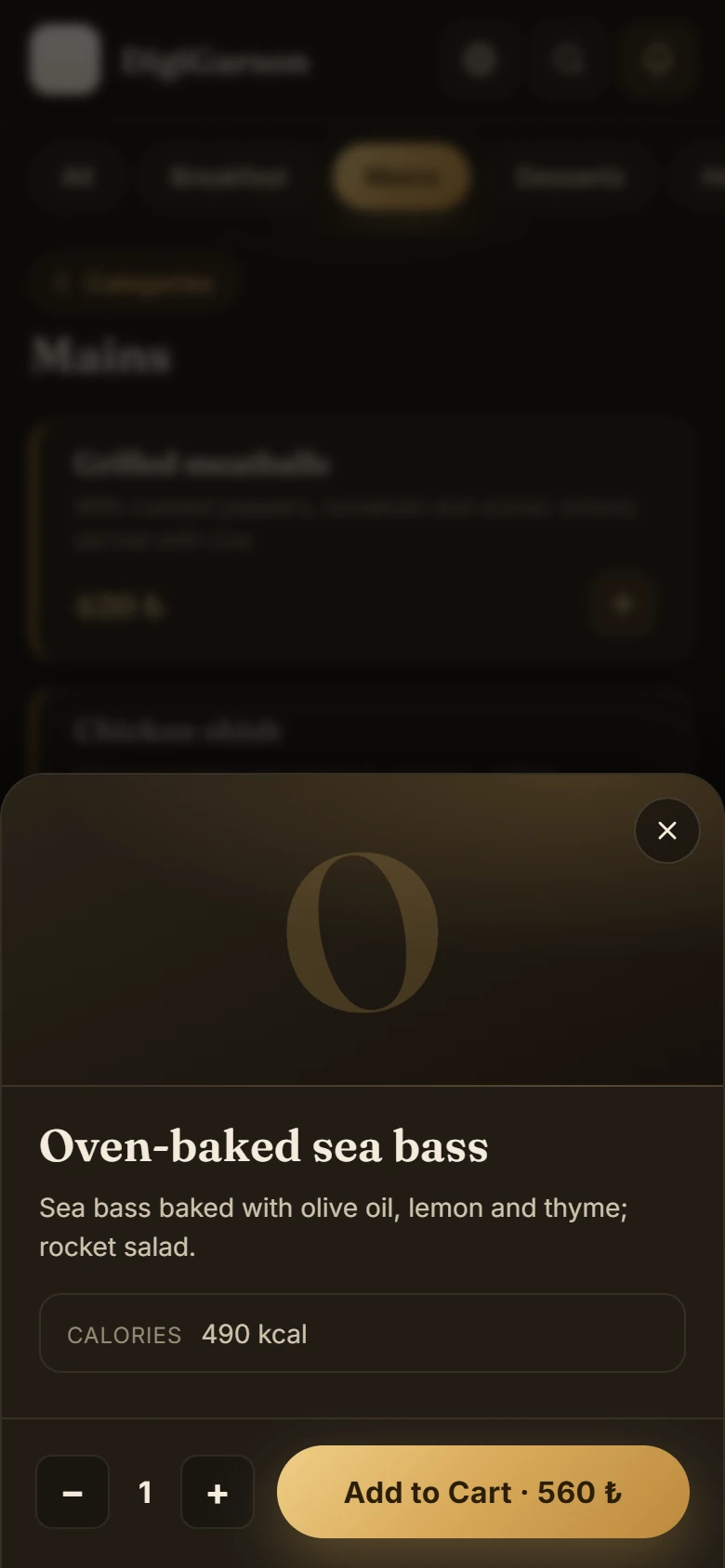
The Digigarson QR menu is a digital menu that opens in the guest's phone browser; there is no app to download. The menu is available in 7 languages, Arabic reads right to left, and each item can show a photo, description, allergens and calories.
7 languages, the right way round
Guests choose their language at the start of the menu: Turkish, English, Arabic, Russian, German, French and Italian. When Arabic is selected, the whole page switches to right-to-left.
Allergens and calories
Allergen and calorie information appears in the product details, below the description. If no information has been entered for an item, the section is not shown at all, so there are no empty boxes.
Welcome slides before the menu
Show guests who scan the QR code up to 3 portrait (9:16) images before the menu: today's specials, an offer, a new dish.
Never out of date like a printed menu
When you change a price or an item in the back office, the QR menu updates too. No reprinting needed. Each branch's menu opens at its own address.
Frequently asked questions
How many languages does the QR menu support?
Seven. When Arabic is selected, the menu is displayed right to left.
Do guests need to download an app?
No. When they scan the QR code, the menu opens in their phone's browser.
Can allergen information be shown?
Yes. Allergens and calories appear in the product details; if nothing has been entered, the section is hidden.
Does the QR menu update when I change a price?
Yes. Changes made in the back office appear on the QR menu, with no reprinting.
See how it works in your own venue
Let's talk about your tables, menu and printer layout and work out the right setup together. Our WhatsApp line is open 24/7.